quietapps.

Archy · features

Archy in real life

Archy is a home archive of proof of ownership: item photos, receipts, bank statements, warranties and history — encrypted on your phone. Below are the situations where it saves the day, and everything it can do.

App StoreGoogle Play · In review
Android and iPhone · English, українська, latviešu · no account

Archy for iPhone is on the App Store. The Android version is awaiting Google Play review.

Archy
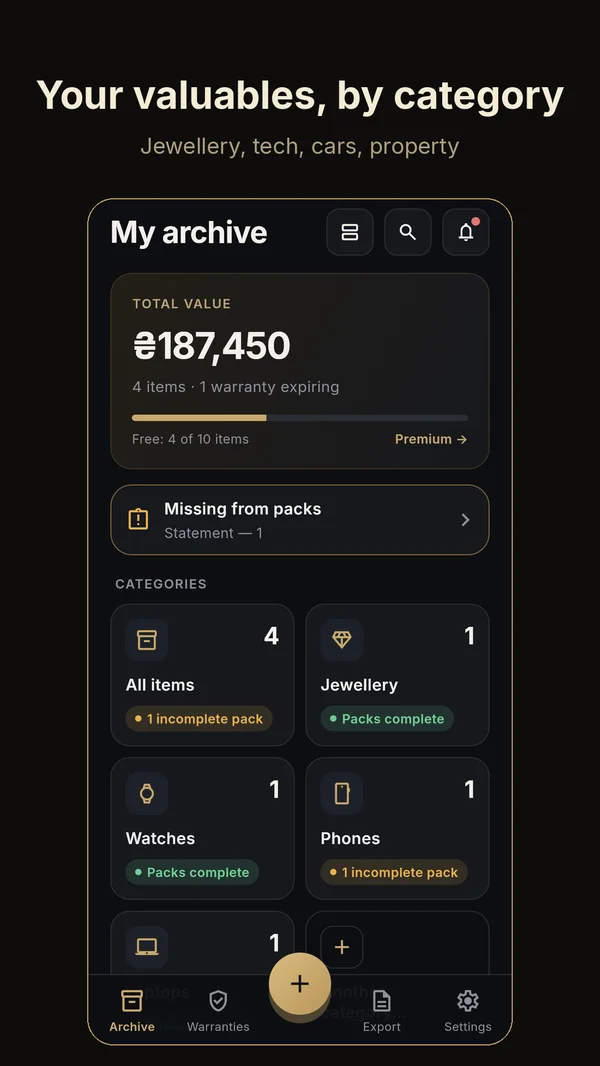
English interface. Demo data.

Real-life situations

How Archy helps when it really matters.

01You buy something valuable in a shop

The situation

A ring, a laptop, a watch. Receipt, certificate and warranty card — three bits of paper you won’t find in a year.

What you do in Archy
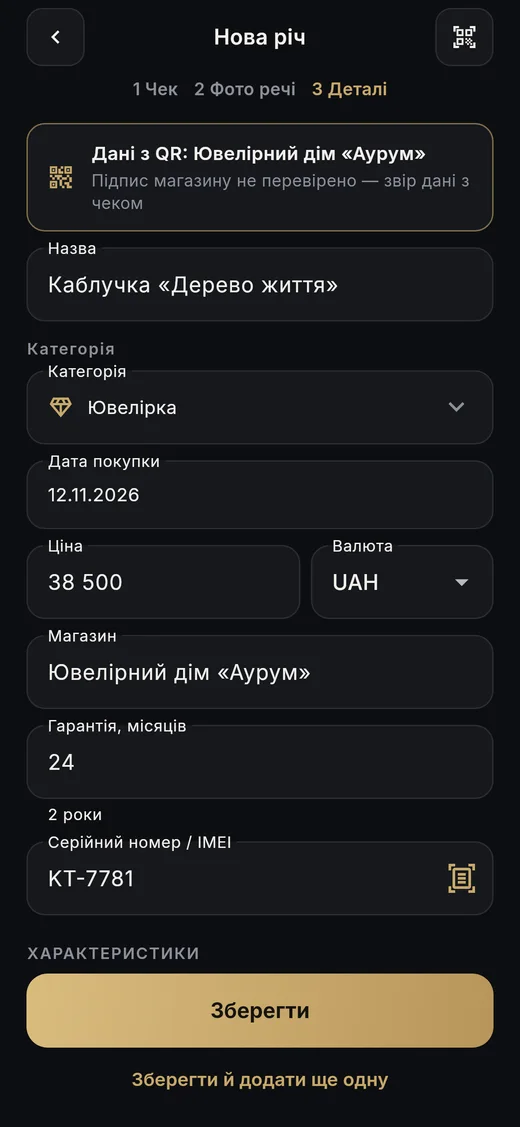
  1. “Add item” → the QR icon → point the camera at the shop’s QR.
  2. No shop QR? Scan the tax-receipt QR (Ukraine) or photograph the receipt: amount and date are read right on the phone.
  3. Item photos from the camera or gallery.
What you get

A ready record: name, price, date, warranty, details. The shop’s certificate and warranty card are downloaded from its site and checked, and the record shows where the data came from.
You buy something valuable in a shop
Ukrainian interface. Demo data.

02The receipt arrived by email or in your banking app

The situation

E-receipts, PDFs from online shops, bank statements — scattered across email and messengers.

What you do in Archy
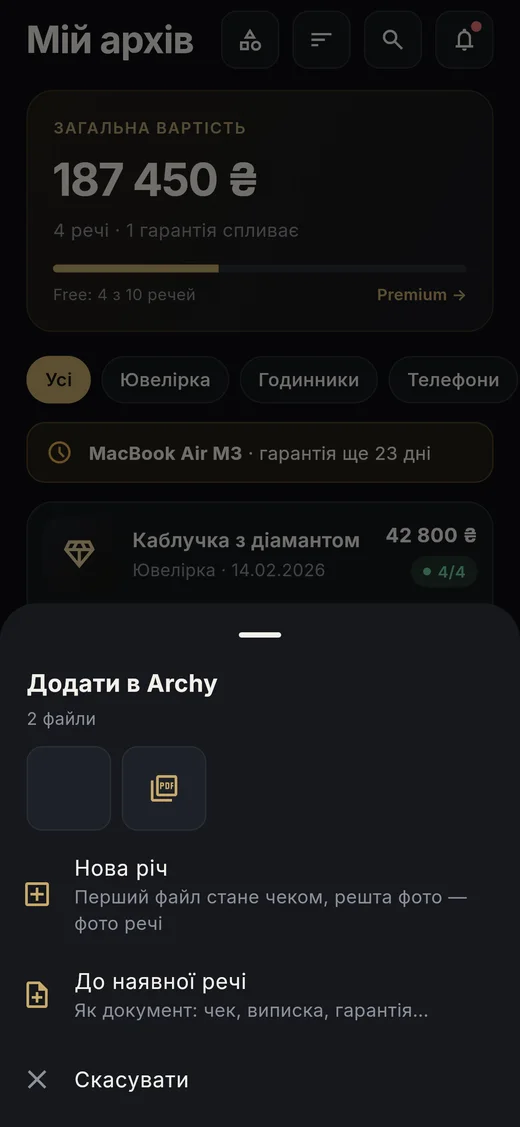
  1. Share → Archy — photos or PDFs up to 50 MB.
  2. A new item (the first file becomes the receipt) or a document for an existing one.
  3. Add the bank statement separately — proof of payment even when a thermal receipt fades.
What you get

All the proof next to the item, not buried in three years of email.

The receipt arrived by email or in your banking app
Ukrainian interface. Demo data.

03It broke under warranty

The situation

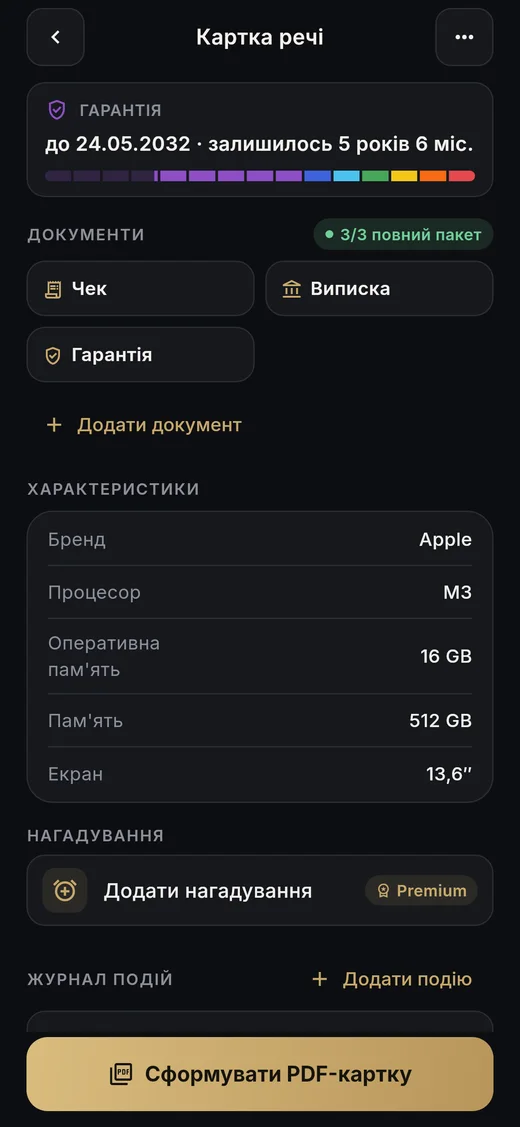
The laptop won’t turn on. Is the warranty still valid? Where is the card? What do you tell the service centre?

What you do in Archy
  1. The warranty bar shows how much is left; alerts 30 and 7 days before it ends.
  2. The “Warranty dispute” guide tells you what to prepare.
  3. Log the repair in the event log — the warranty extends by the repair time automatically.
What you get

Receipt, warranty card and repair history — to the service centre as a PDF record or as the original files.

It broke under warranty
Ukrainian interface. Demo data.

04Stolen or lost

The situation

Your phone or bike is gone. Police and insurers ask for the IMEI, serial number and receipt.

What you do in Archy
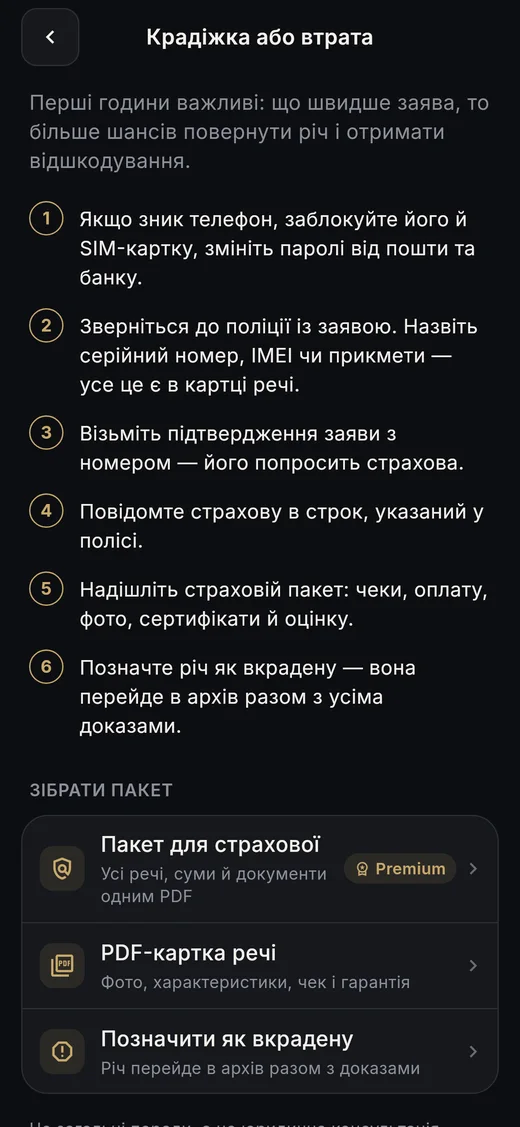
  1. “What to do if…” → “Theft or loss”: steps for the first hours and who to notify.
  2. IMEI, serial number, photos and receipt are already in the record.
  3. Buttons build the PDF at once and mark the item as stolen.
What you get

Proof the item is yours — in a minute, not after a week of searching.

Stolen or lost
Ukrainian interface. Demo data.

05Fire, flood, an insurance claim

The situation

The neighbours flooded your flat. The insurer wants a list of damaged property with values and documents.

What you do in Archy
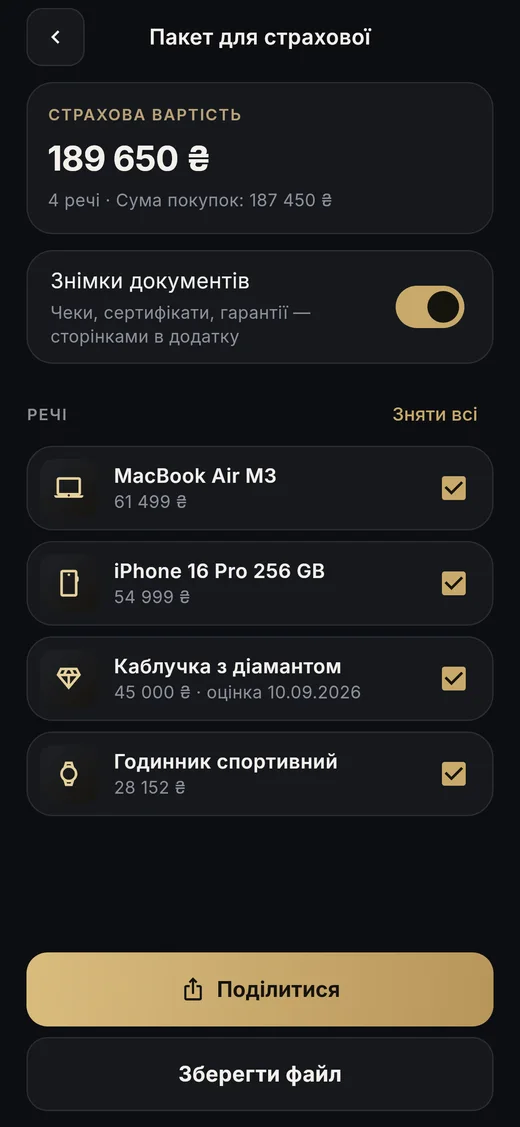
  1. Export → “Insurance pack” (Premium).
  2. Pick the items — Archy works out the insured value: by appraisal, or by purchase price where there is none.
  3. Title page, table, item records and documents — in one PDF.
What you get

A ready inventory with proof. The insurer decides — Archy gives you the evidence.

Fire, flood, an insurance claim
Ukrainian interface. Demo data.

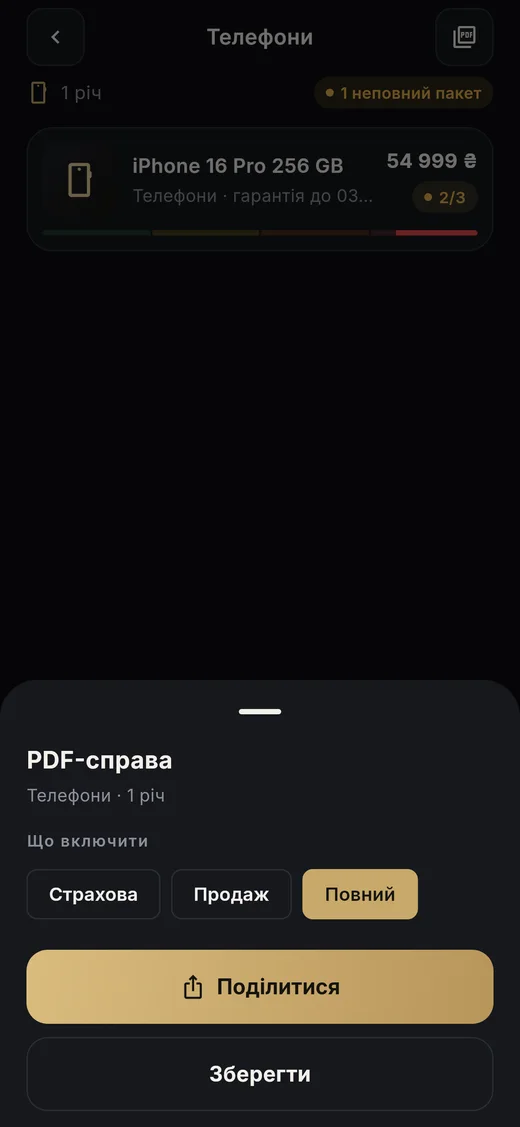
06You sell a phone, a watch or a bag

The situation

The buyer wants to know the item isn’t stolen and what its history is.

What you do in Archy
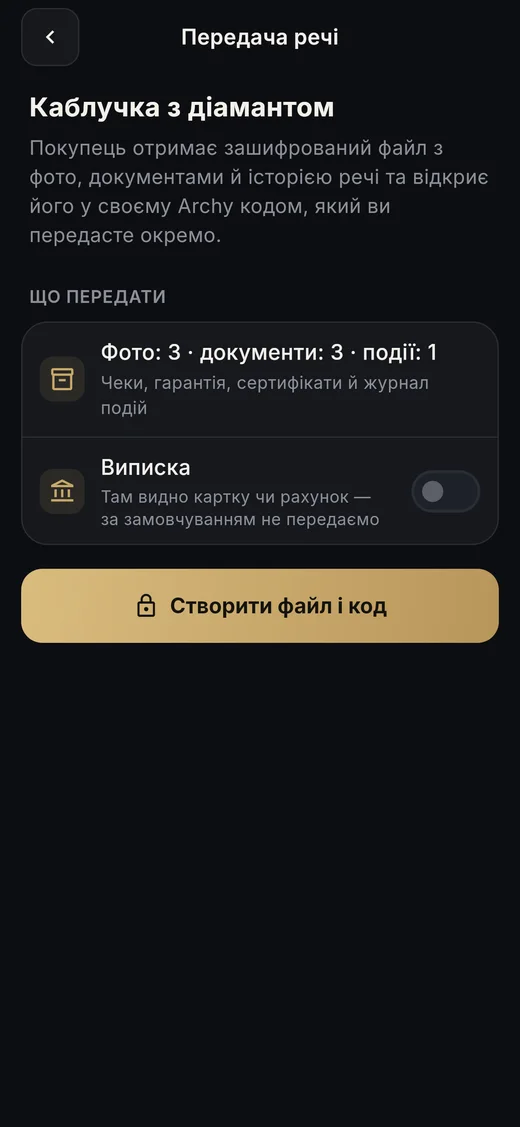
  1. A “Sale” PDF record — without the bank statement or personal details.
  2. “Hand over to the buyer”: an encrypted file plus a separate 12-character code — the buyer opens everything in their own Archy.
  3. The item moves to the “Sold” archive with the date and all documents.
What you get

More trust — an item with papers and history sells more easily and for more.

You sell a phone, a watch or a bag
Ukrainian interface. Demo data.

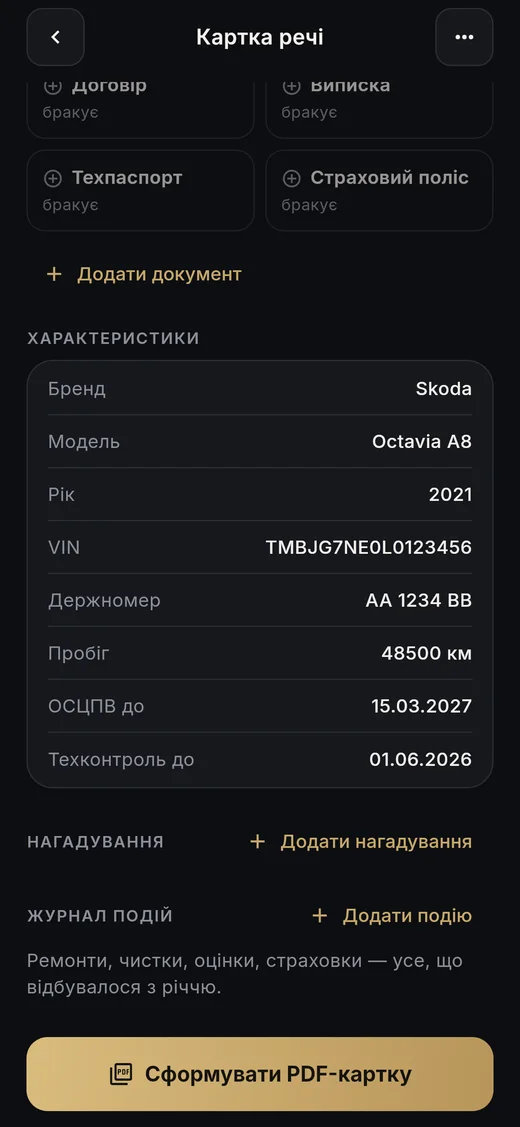
07Car: insurance, inspections, servicing

The situation

Liability insurance, comprehensive cover, roadworthiness tests — each has its own deadline. Service books go missing.

What you do in Archy
  1. The “Cars & motorbikes” template: VIN, plate, year, registration, policies.
  2. Reminders for policies and inspections from the dates in the record (Premium).
  3. Event log: servicing, repairs, jobs with costs, receipts.
What you get

Deadlines don’t slip by, and the service history is visible — to you and to a future buyer.

Car: insurance, inspections, servicing
Ukrainian interface. Demo data.

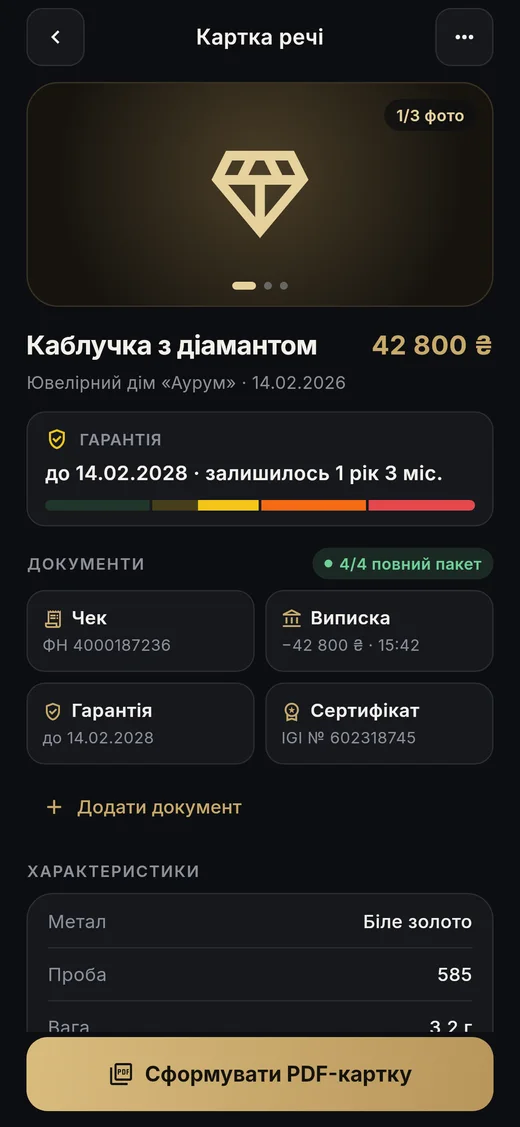
08Jewellery, watches, collections, antiques

The situation

The value is in the details: fineness, stone, certificate, hallmark, appraisal.

What you do in Archy
  1. Template fields: metal, fineness, weight, stone, carats, lab certificate, appraisal and its date.
  2. For porcelain and antiques — manufactory, mark, export certificate.
  3. Reminders to re-appraise and clean; appraisals go into the log.
What you get

The description insurers and appraisers ask for — always at hand.

Jewellery, watches, collections, antiques
Ukrainian interface. Demo data.

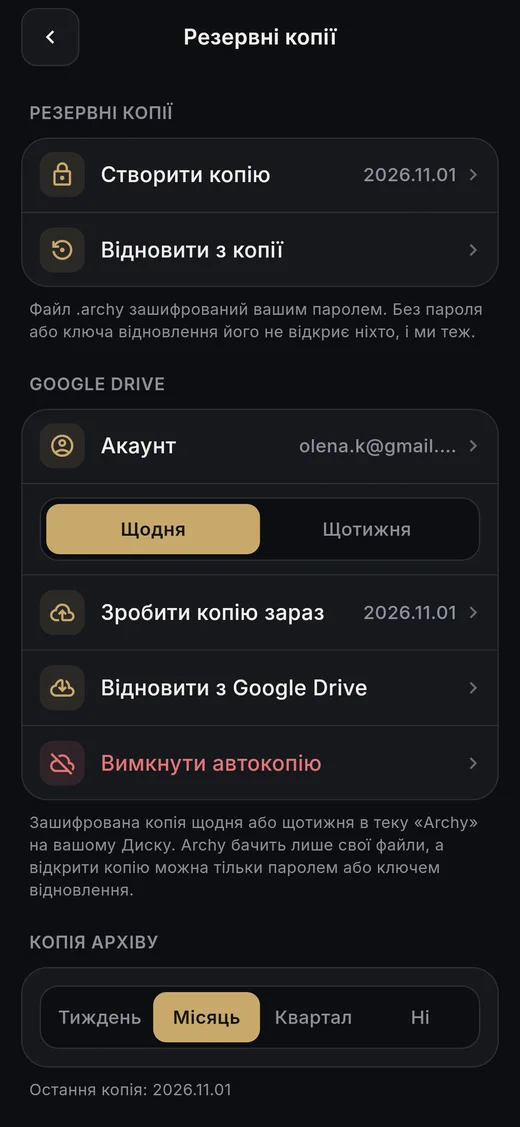
09You lost or replaced your phone

The situation

A phone is not a safe: it gets lost, replaced, broken.

What you do in Archy
  1. A backup is a single encrypted .archy file with a password and a 16-character recovery key.
  2. Keep it anywhere; automatic Google Drive backup daily or weekly — Premium.
  3. On the new phone — “Restore from backup”.
What you get

Your archive outlives your phone. We can’t open your backup — only you can.

You lost or replaced your phone
Ukrainian interface. Demo data.

10Moving, inheritance, divorce, property paperwork

The situation

You need to show what was bought and when, with what money and which documents.

What you do in Archy
  1. A PDF dossier for a category or the whole archive: contents, total value, records and documents.
  2. “What’s missing” shows in advance which documents you don’t have.
  3. A document that will never exist? Mark it “I don’t have this” — the pack is complete.
What you get

Your property described and backed up — without digging through drawers.

Moving, inheritance, divorce, property paperwork
Ukrainian interface. Demo data.

11Someone forces you to unlock your phone

The situation

Receipts, amounts and serial numbers are not for strangers’ eyes.

What you do in Archy
  1. A duress PIN quietly erases the archive and opens an empty one.
  2. Sign-in with fingerprint or face, an Archy PIN, or both; auto-lock.
  3. Task-switcher curtain, screenshot blocking, hidden amounts.
What you get

Peace of mind: only you see your archive. With a backup you can restore everything later.

Someone forces you to unlock your phone
Ukrainian interface. Demo data.

Everything Archy does

The full list for Archy 1.0.

Items & categories

  • 28 categories with their own field templates and document packs — from jewellery and phones to cars and property.
  • Custom categories: name, icon, fields (text, number, amount, date) and their own document pack.
  • Home: total value, expiring warranties; categories as tiles or a list; “All items” with sorting and filters.
  • Search across names, details, serial numbers, documents, events and notes.
  • Several photos per item, full-screen zoom, “Make main photo”.
  • Archive: sold, given away, lost and stolen items — with date and documents.

Documents

  • Receipt, bank statement, warranty, certificate, service report, manual, registration, insurance policy, contract, register extract, inspection, appraisal, export certificate — and your own type.
  • Date, number and “valid until” — optional; they appear in the PDF.
  • Document scanner: background removed, page straightened, several pages into one PDF.
  • Manual cropping of gallery photos — no text gets cut off.
  • Receipt amount and date, IMEI and serial number — recognised on the phone, offline.
  • “What’s missing” and “I don’t have this document”.
  • Share → Archy from any app (photos and PDFs up to 50 MB).
  • Share the original document byte for byte, so a signature inside the PDF stays valid.

Shop and tax-receipt QR codes

  • A shop QR fills in the record: name, category, price, date, warranty, serial number, details, product page.
  • The shop’s product photos, certificate and warranty — from its site, with your consent; every file is checked by its SHA-256 fingerprint.
  • Signed codes are marked “Verified by the shop’s signature”; unsigned — “not verified”.
  • A Ukrainian tax-receipt QR fills in the purchase date and amount.
  • A set in one code — pick your item; the same item already there — Archy warns you.
  • A regular phone camera opens quietapps.app/q with the product card.

PDF

  • Item record PDF — “Insurance”, “Sale” and “Full” templates; bank statement on request; personal details hidden.
  • “Attached documents” as a numbered list; documents as appendix pages; an integrity-check QR code.
  • PDF dossier for a category or the whole archive: contents and total value.
  • Insurance pack (Premium): insured value per currency, table, records and documents.

Warranties, reminders, history

  • Warranty as a colour bar; term in months or years.
  • A warranty repair extends the term by the repair time.
  • Alerts 30 and 7 days before a warranty ends — for everyone.
  • “Coming up”; your own repeating reminders and category presets — Premium.
  • Event log: repair, maintenance, diagnostics, cleaning, upgrade, appraisal, insurance — with jobs, costs and attachments.

Handover & help

  • Hand an item over to a buyer: encrypted file + 12-character code; receive it via Export → “Receive an item”.
  • “What to do if…”: theft or loss, fire or flood, a road accident, an insurance claim, a warranty dispute.

Security & privacy

  • No account and no server of ours: everything stays on the phone.
  • AES-256-GCM encryption; the key lives in the system’s secure storage.
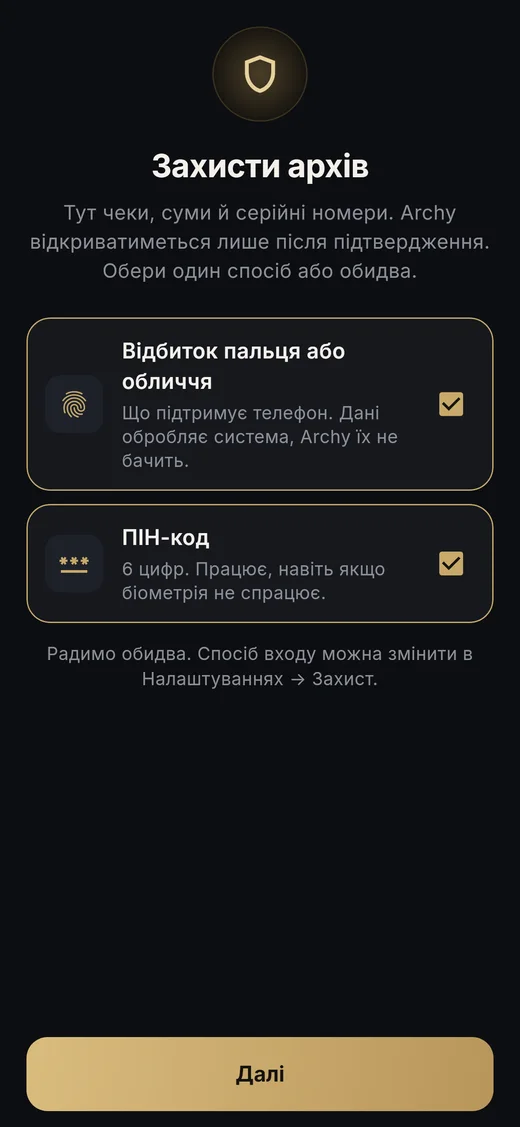
  • Sign-in: fingerprint / face, a 6-digit Archy PIN, or both — chosen at first launch.
  • Auto-lock: immediately, after 1, 5 or 15 min, or never; “Lock now”.
  • Duress PIN, task-switcher curtain, screenshot blocking, hidden amounts, notifications without item names.

Backups

  • .archy file: password (Argon2id) and a 16-character recovery key.
  • Keep it anywhere; restore with the password or the key.
  • Automatic Google Drive backup (Premium): daily or weekly, last 5 copies, access only to its own files.
  • Backup reminders: weekly, monthly or quarterly.

Look & languages

  • Gold, Onyx / Pearl, Porcelain frames — free; Emerald, Sapphire, Art Deco — Premium.
  • Day, evening or “Auto” with your phone.
  • English (UK), Ukrainian, Latvian.
  • “Check for updates” in About the app.

Free & Premium

Start free. Premium offers monthly or yearly subscriptions; the App Store shows the current price in your currency.

FreePremium
Items10unlimited
Receipt recognition3unlimited
PDF records and dossiers3unlimited
Custom categories1unlimited
Shop and receipt QR✓✓
Backup to a file✓✓
Warranty expiry alerts✓✓
Your own reminders—✓
Insurance pack—✓
Automatic Google Drive backup—✓
Emerald, Sapphire, Art Deco frames—✓

What Archy doesn’t do — honestly

  • It doesn’t sync your archive between devices — there is backup and restore.
  • It doesn’t give legal or insurance advice — only general guidance.
  • It can’t promise an insurer or court will accept a PDF — that’s their call; Archy gives you organised proof.

For shops

Give customers a product record with your certificate and warranty — in one QR. Free, no integration.

Archy for shops →
App StoreGoogle Play · In review