Free
Free
For your first organised archive
- Up to 10 items
- 3 · Receipt scans
- 3 · Item PDFs
- File backup
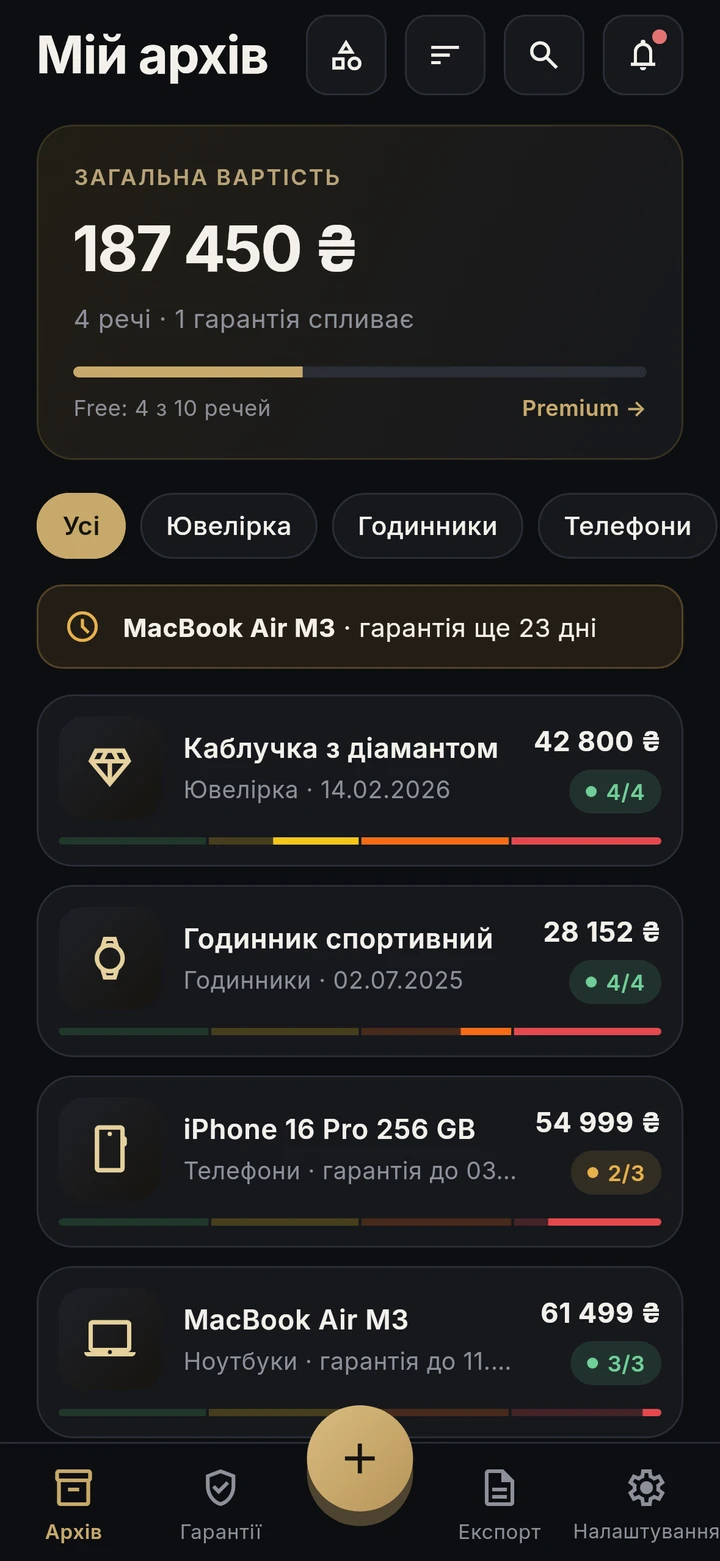
Archy · a home archive of ownership proof
 ArchyComing soon
Photos, receipt, bank statement, warranty and the history of every valuable item — together on your phone. When an insurer, a buyer or a repair shop asks, Archy helps you prepare a PDF.
Preparing for Android and iPhone.
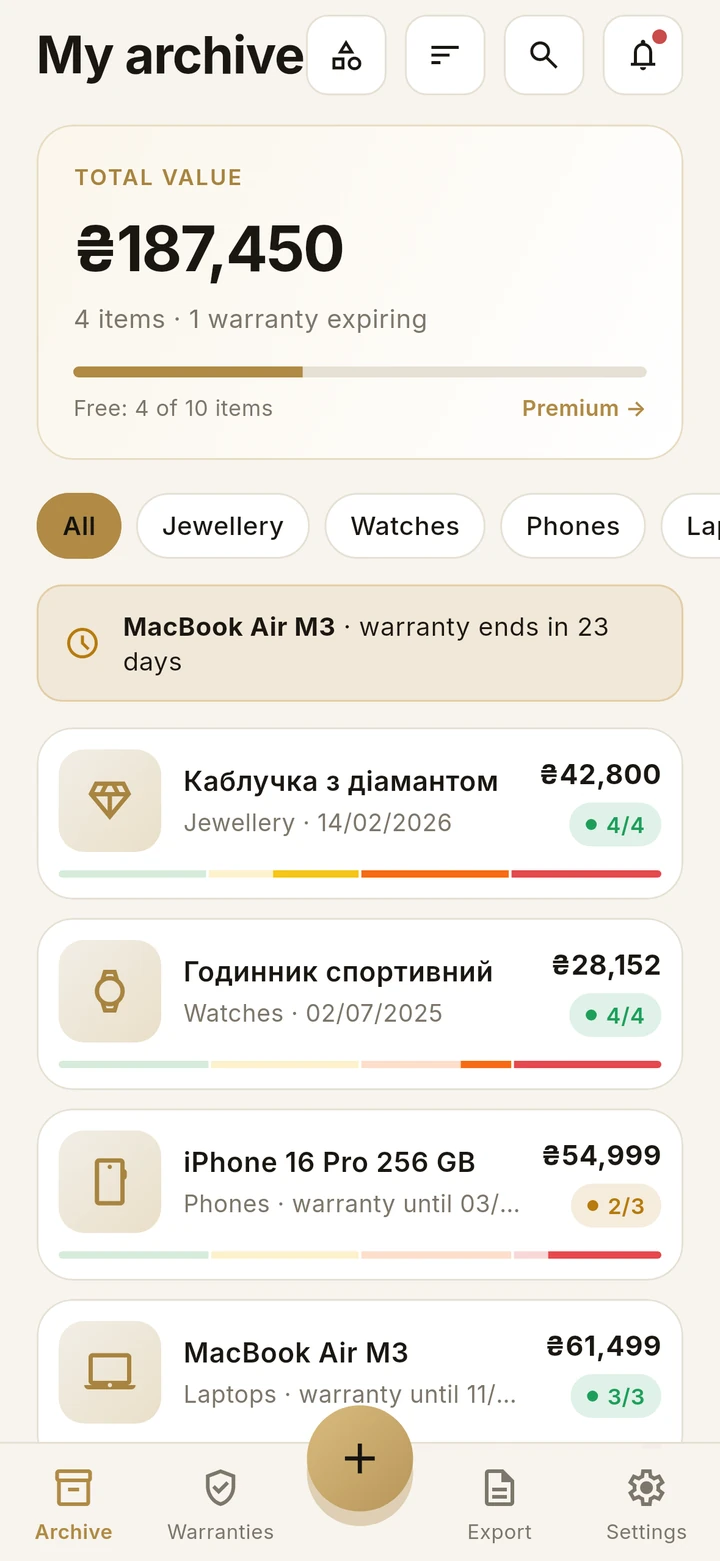
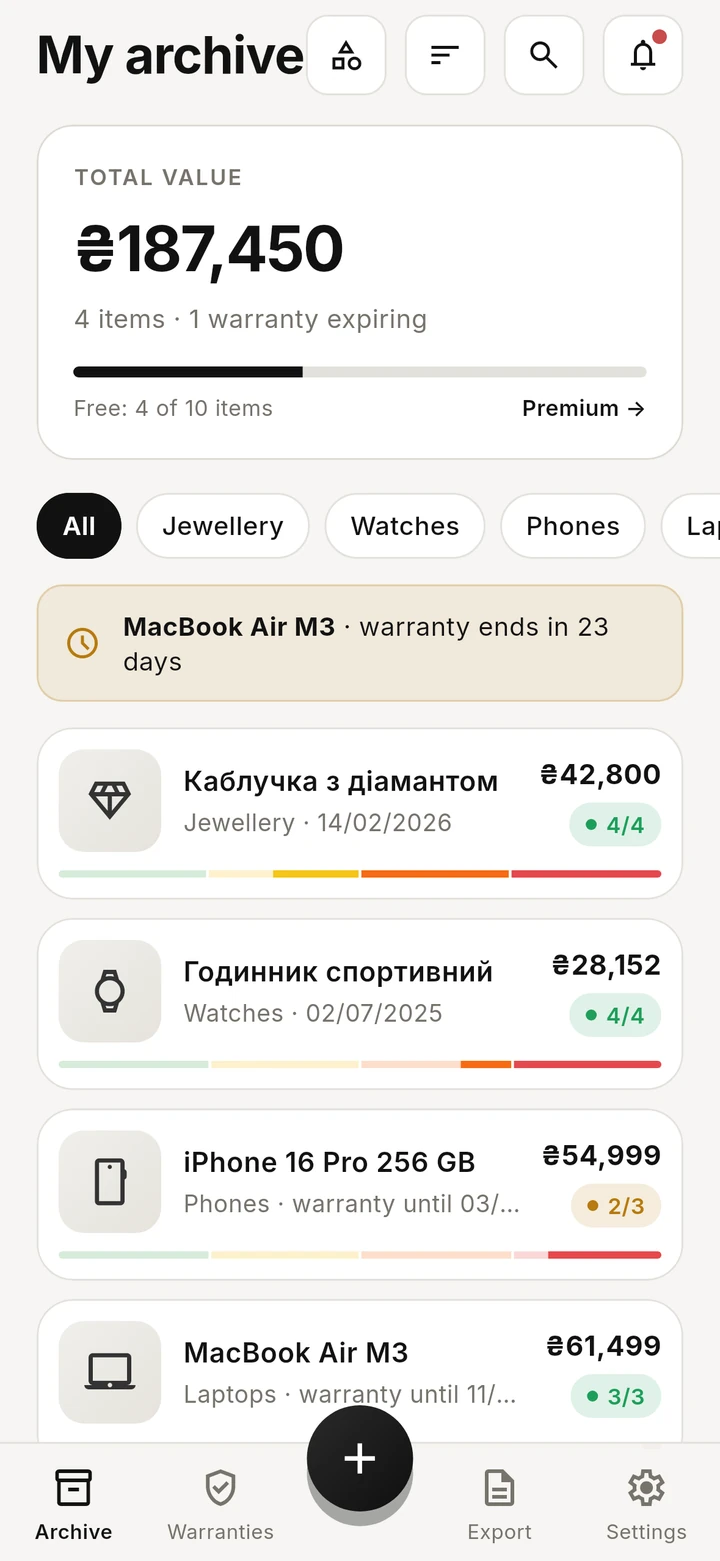
All images use fictional demonstration data.
From drawers to order
We buy expensive things over years — phones, laptops, jewellery, watches, appliances, bikes, cars. Their papers end up everywhere: thermal receipts fade in months, warranty cards get lost in a move, bank statements sit in three different apps, and the photo of the serial number hides among thousands of pictures.
It doesn't matter — until it does: a theft or fire and the insurer asks what you owned and what it cost; a breakdown and the repair shop wants the receipt; a sale and the buyer wants to see the item isn't stolen; a warranty that ran out a week before you noticed.
Archy fixes it once: everything about an item in one record, always at hand.
How it works
1. Add an item. Snap the receipt — Archy reads the amount and date for you. Add photos and pick a category: each has its own template of the fields that matter.
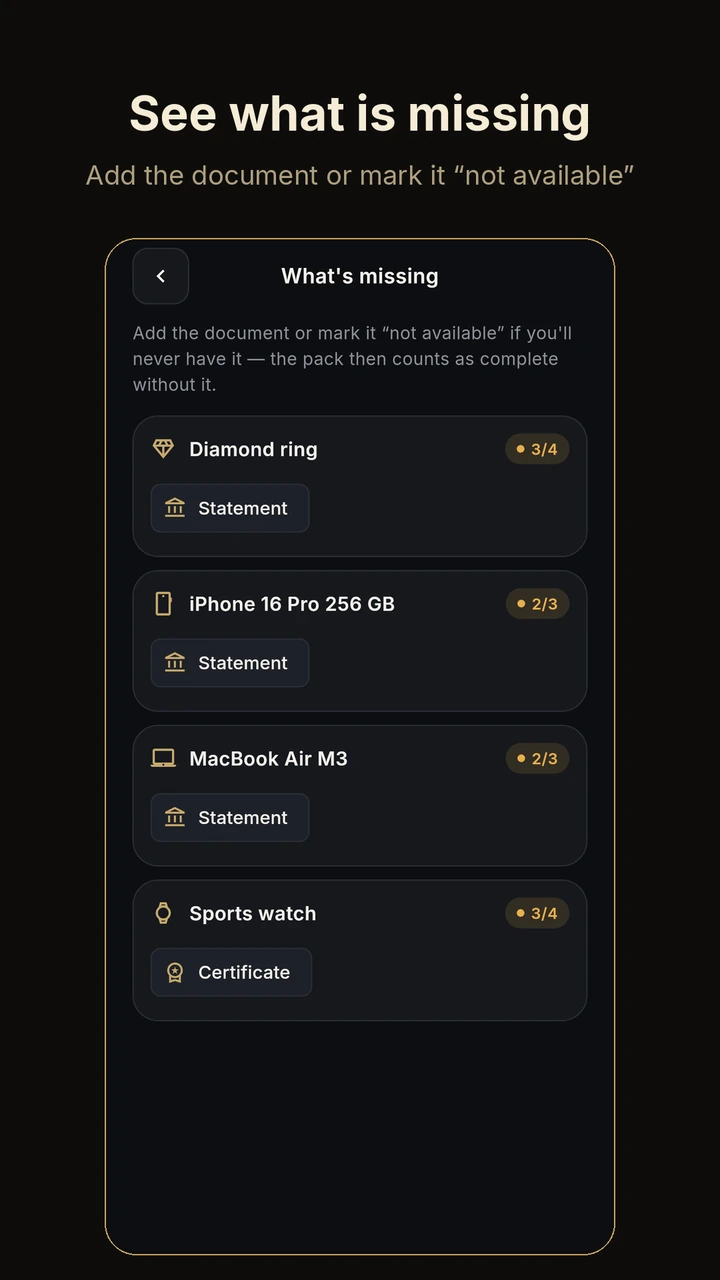
2. Collect the papers. Receipt, bank statement, warranty, certificate, contract — by scanner, from the gallery, from files, or straight from email via Share. Archy shows what is still missing.
3. Get the PDF. When you need it — an item record with photos, details, the list of attached documents and the documents themselves as pages.
Inside Archy
A place for each item. A clear context for every document.
Jewellery · Watches · Phones · Tablets · Laptops · Computers · Components · TVs and monitors · Photo and video · Audio · Gaming · Home appliances · Electronics · Power (power stations, generators) · Bikes and e-mobility · Cars and motorbikes · Property · Designer bags and accessories · Bullion · Art · Antiques · Collectibles · Musical instruments · Furniture · Clothing and accessories · Sport · Tools · Other.
| Category | What Archy asks for |
|---|---|
| Jewellery | metal, hallmark, weight, stone, carats, cut, clarity, size, maker's mark, lab certificate, appraisal value and date |
| Phones | IMEI (and IMEI 2), serial number — scanned with the camera; brand, model, storage, colour |
| Cars and motorbikes | VIN, plate, year, mileage, registration, policy; reminders for insurance and inspection from the record's dates |
| Property | contract, title extract |
| Porcelain and antiques | maker, mark on the base, form, export certificate |
| Bikes | frame number |
| Designer bags | date code, authentication |
Your own categories: name, icon, custom fields (text, number, amount, date) and your own document pack. Free — one custom category; Premium — unlimited.
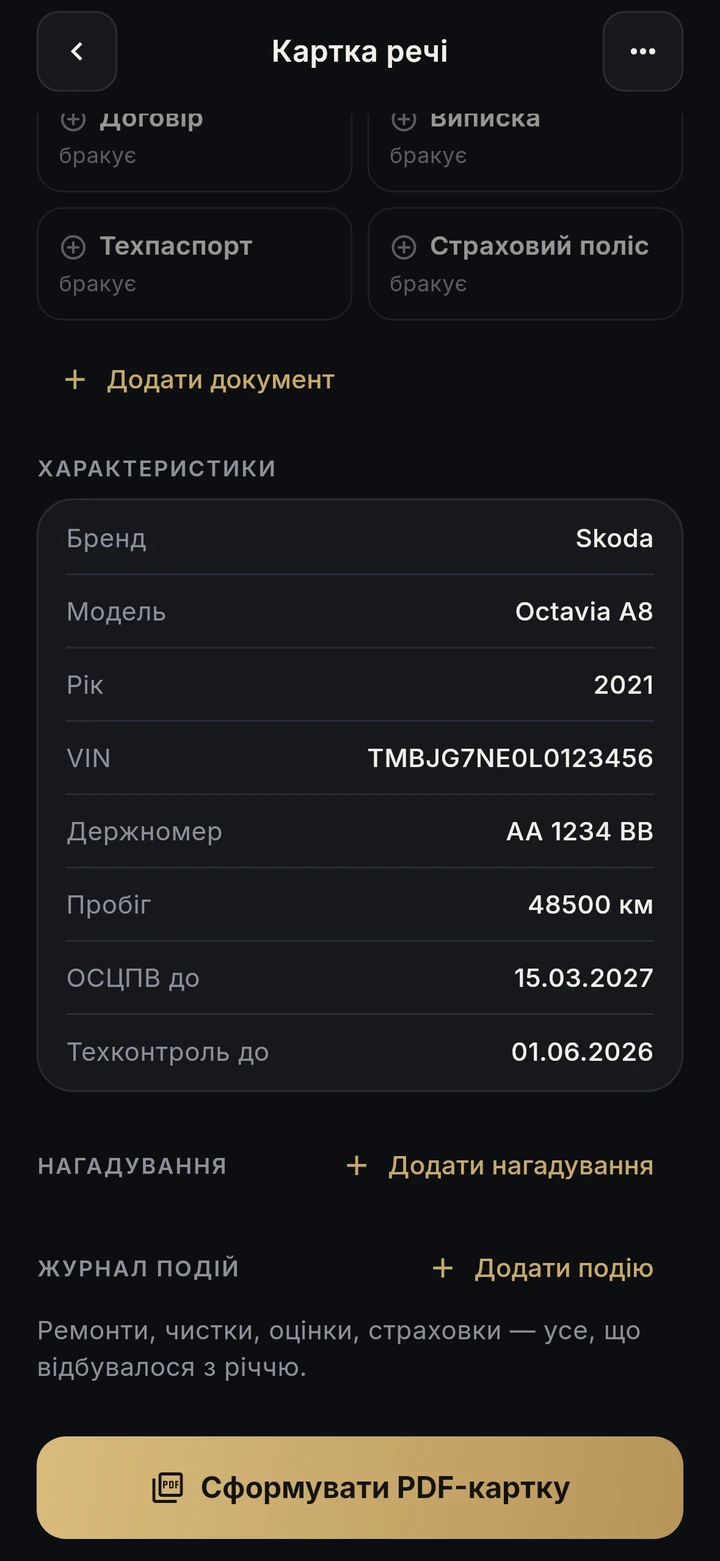
Inside Archy
Collect what matters. Archy shows what is still missing.
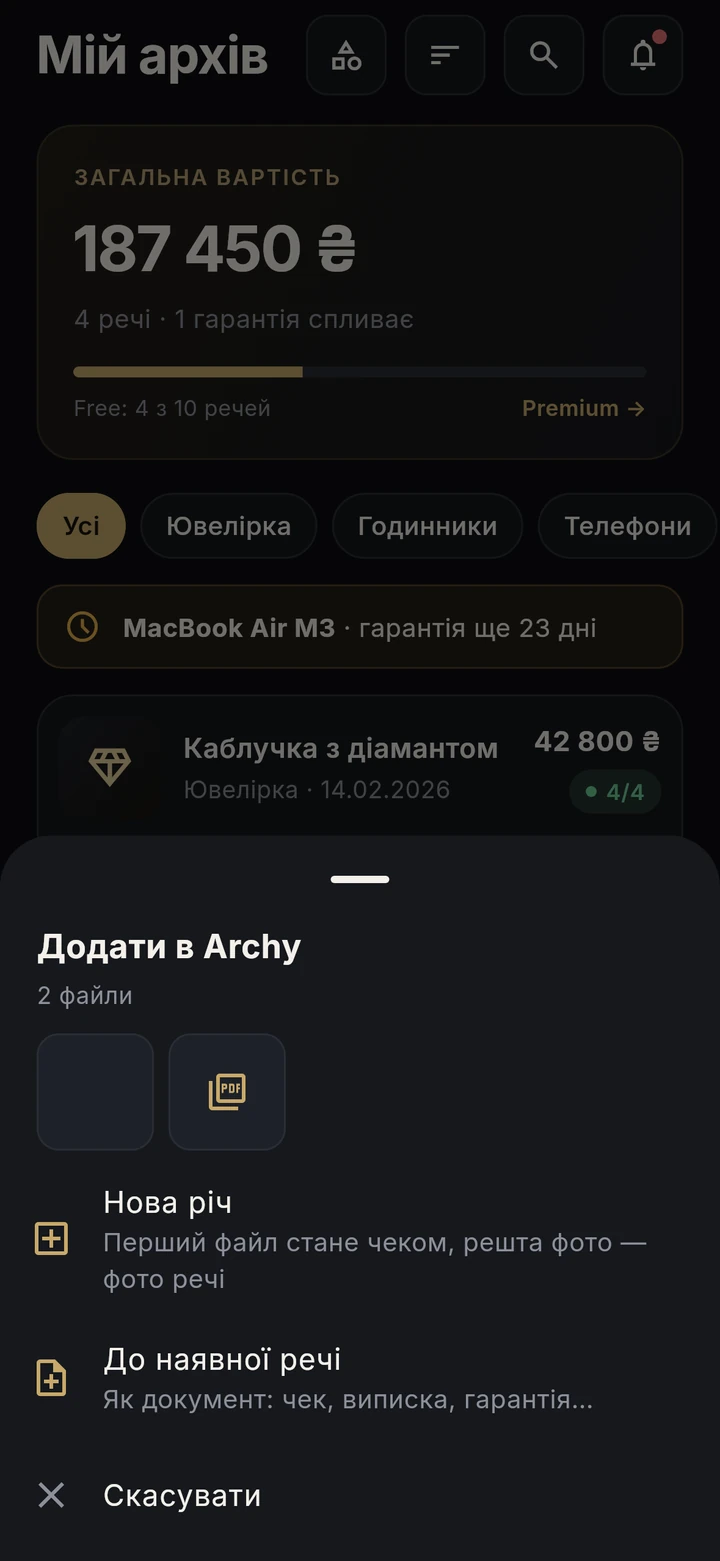
“Missing from packs” on the home screen lists items without a receipt, statement or warranty. One tap adds the document from camera, gallery or files. If a document will never exist, mark it “not available” — the pack counts as complete.
A photo or PDF from email, a messenger, your banking app or an online shop: Share → Archy. Make it a new item (the first file becomes the receipt) or a document for an existing one.
Inside Archy
Choose what the situation needs. Keep the rest to yourself.
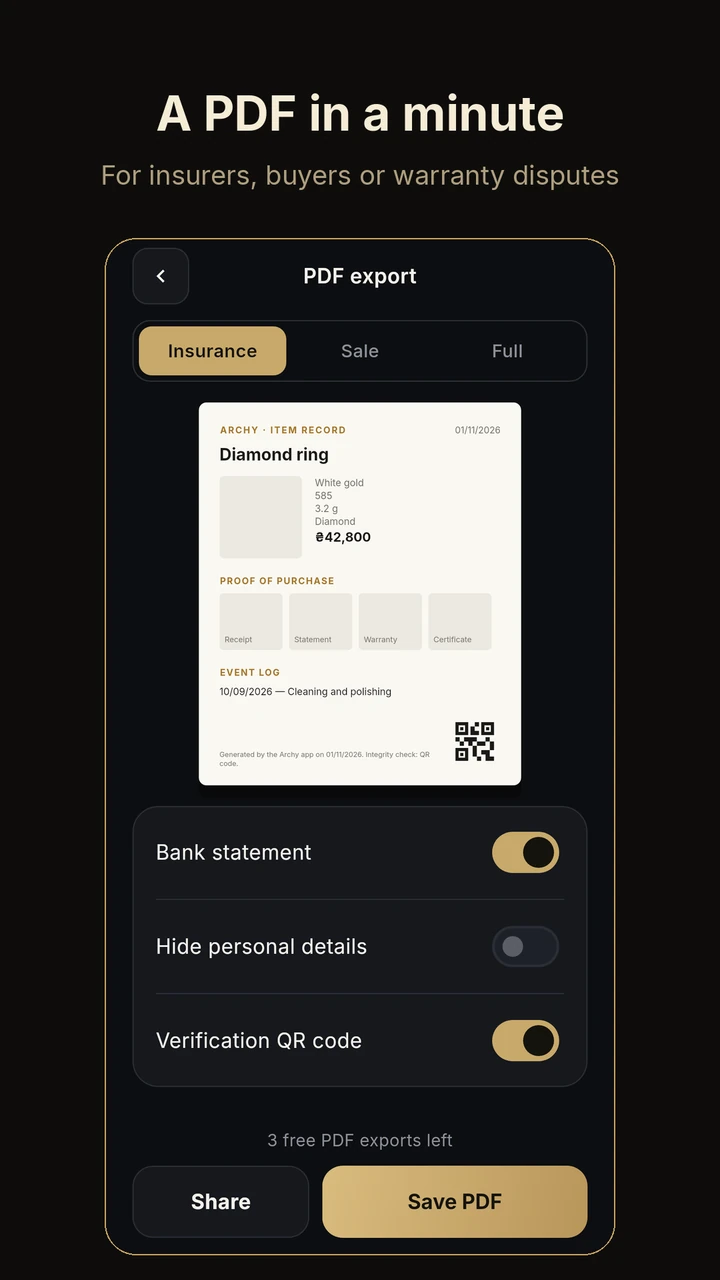
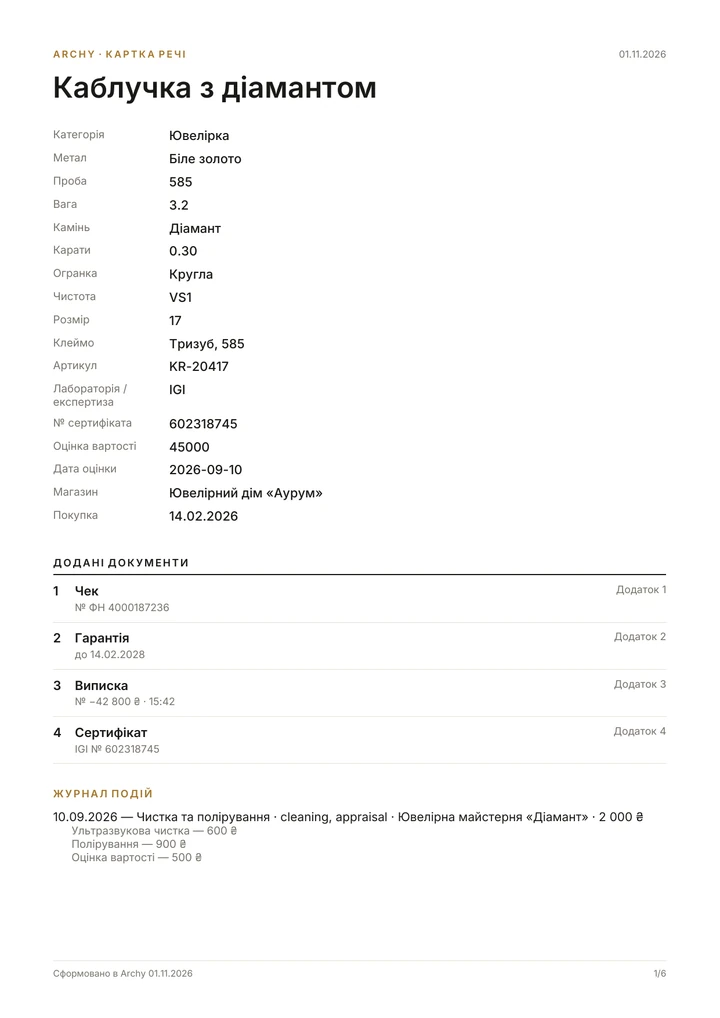
Item record PDF: name, photos, details, shop, purchase date, price; “Attached documents” — a clear list with date, number and “valid until” where filled in; every document on its own page as Attachment 1, 2…; the event log; a verification QR code with the SHA-256 fingerprint of the record and documents.
Three templates: Insurance, Sale, Full. For a sale you can leave out the bank statement and hide personal data.
PDF dossier for a whole category or the entire archive: contents, total value and every item with its documents.
Tick the items — Archy totals the insured value (appraisal or price, per currency) and builds one PDF: cover page, item table, a record for each item and document scans as attachments. Prepare the information an insurer may request; the insurer decides what it needs and accepts.
Inside Archy
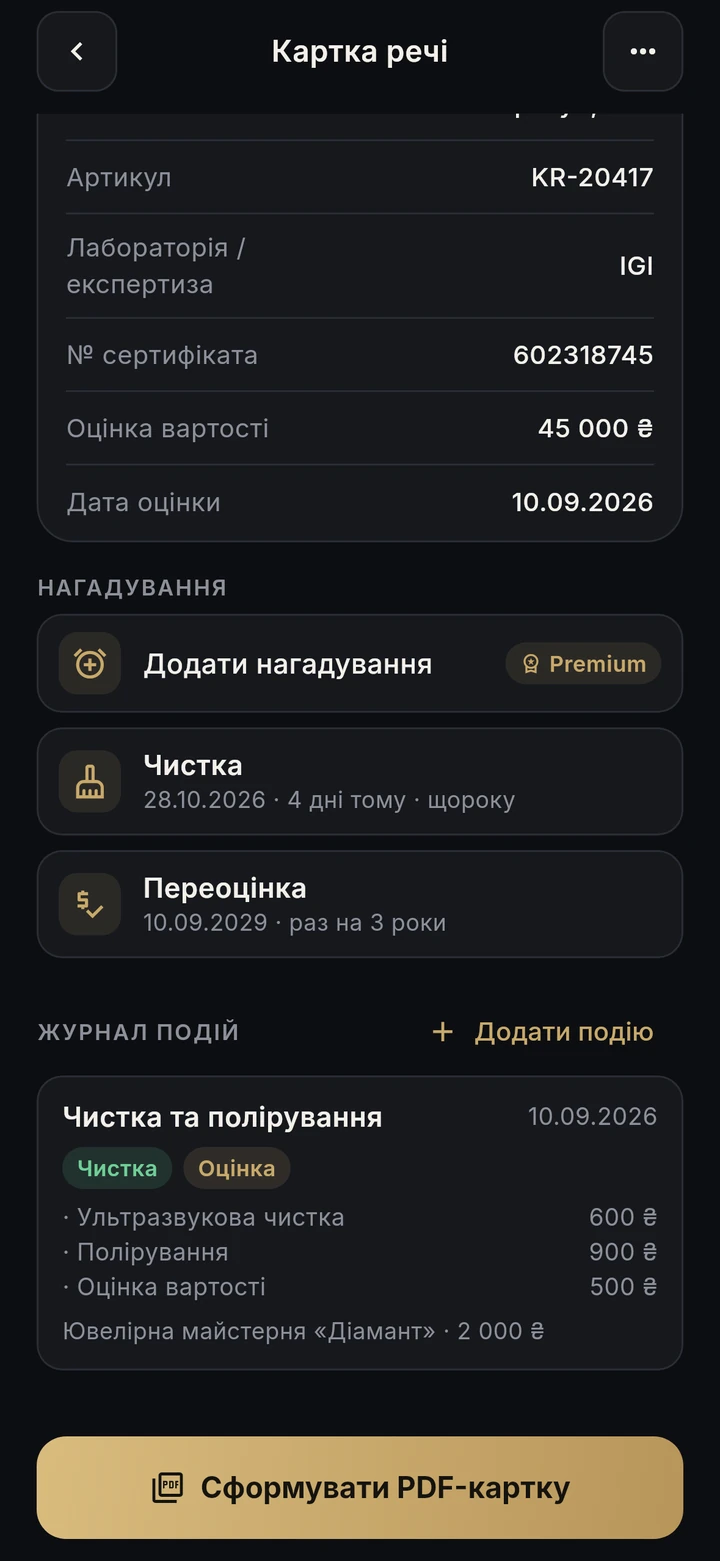
From the first purchase to the latest service, with dates and details.
Repair, service, diagnostics, cleaning, appraisal, upgrade, insurance — or your own type. Who did it, which jobs and what each cost, with a total. Unlimited attachments. A warranty repair extends the warranty by its duration.
Inside Archy
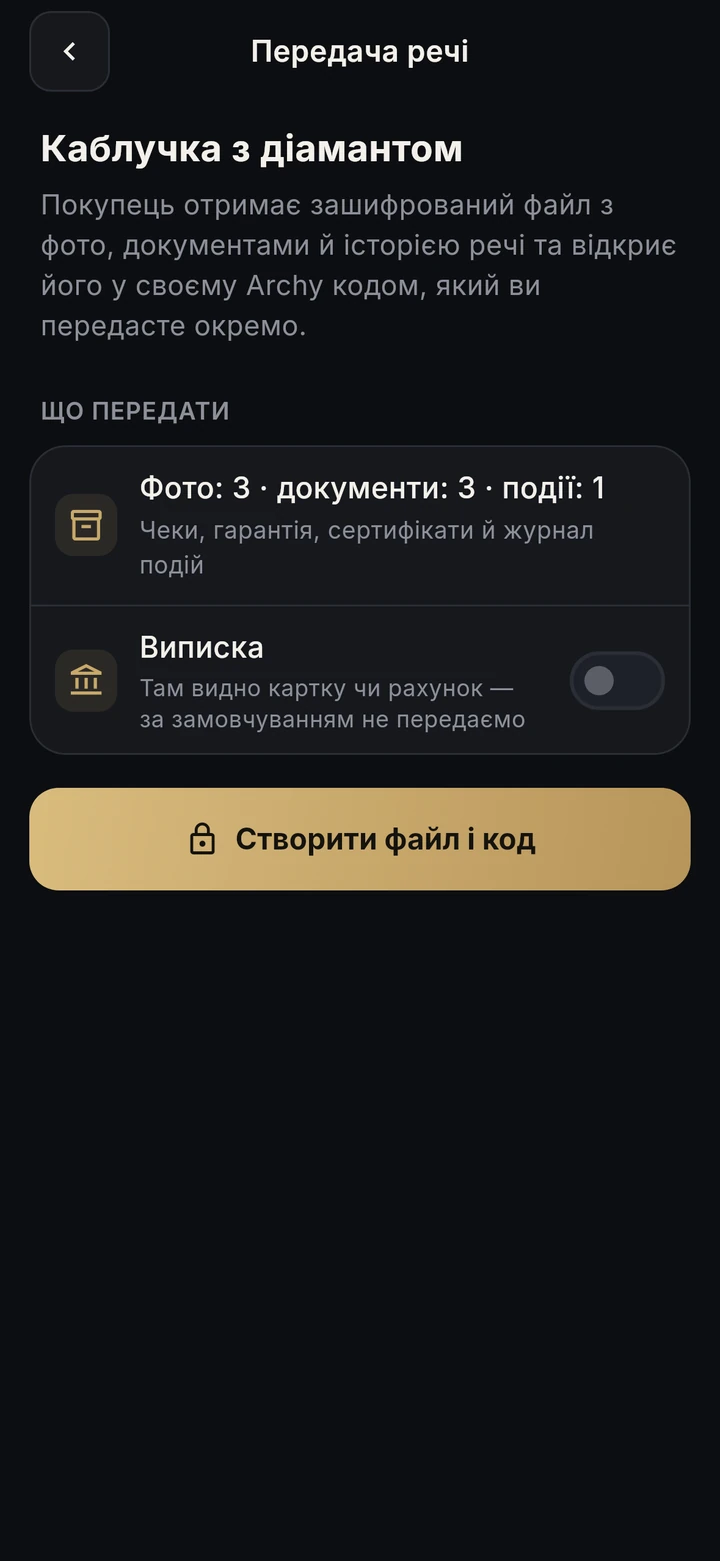
An item changes hands. Its story can travel with it.
Archy creates an encrypted file with photos, documents and history plus a separate 12-character code. Send the file one way and the code another. The buyer opens it in their own Archy. The bank statement and notes are left out by default. After the sale the item moves to the archive — sold, gifted, lost or stolen — with all its papers.
Short steps for five situations: theft or loss, fire or flood, car accident, insurance claim, warranty dispute — and buttons that collect the evidence at once: insurance pack, item PDF, mark as stolen. General guidance, not legal advice.

Inside Archy
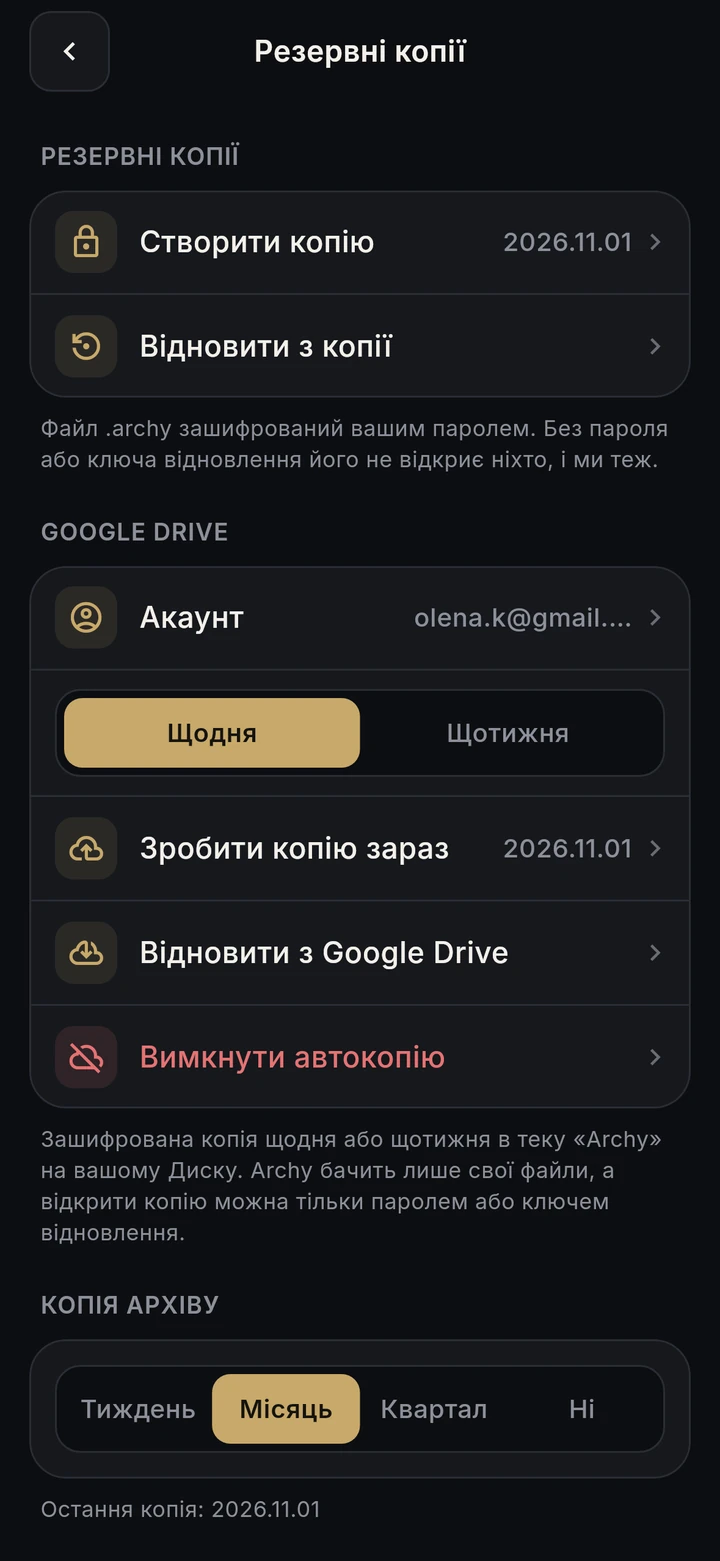
Your belongings and documents, under your control.
.archy file with all items, photos and documents. Opens only with your password (Argon2id) or the recovery key shown once. The studio does not hold your password or recovery key.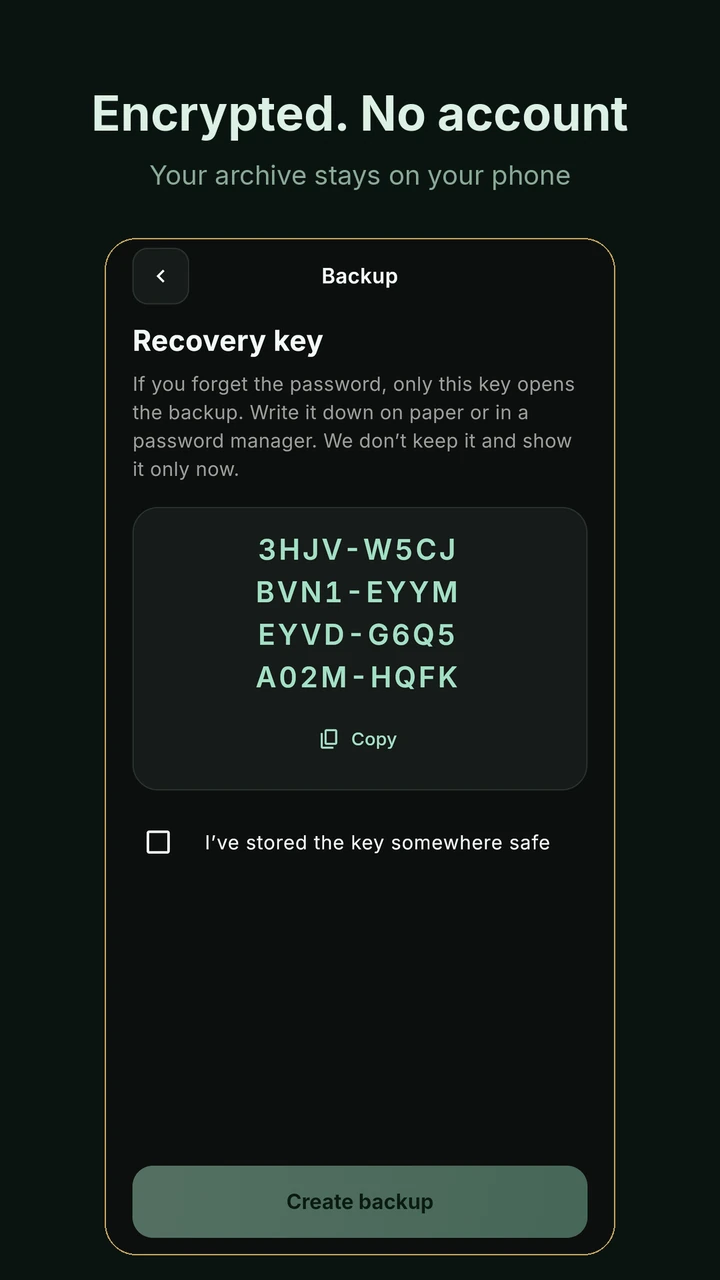
Your character
Six themes with day, evening and automatic modes. Choose a look you enjoy coming back to.
Six themes: Gold, Onyx / Pearl, Porcelain — free; Emerald, Sapphire, Art Deco — Premium. Day, evening or Auto with your phone. English (UK), Ukrainian, Latvian.
Free & Premium
Your first 10 items in the free version. Premium expands the archive and adds automation.
Free
For your first organised archive
For all the things you want to keep
Planned UK prices from the supplied information dated 12 November 2026. Your store will show the final local price after launch. Subscriptions renew automatically; cancel in your store.
| Feature | Free | Premium |
|---|---|---|
| Items | Up to 10 | Unlimited |
| Receipt scans | 3 | Unlimited |
| Item PDFs | 3 | Unlimited |
| Custom categories | 1 | Unlimited |
| Documents, photos, event log, warranties | Included | Included |
| PIN, biometrics, duress PIN | Included | Included |
| File backup | Included | Included |
| Item handover and “What to do if…” | Included | Included |
| Custom reminders | Not included | Included |
| Insurance pack | Not included | Included |
| Automatic Google Drive backup | Not included | Included |
| Emerald, Sapphire and Art Deco | Not included | Included |
For what you value
Jewellery and watch owners: metals, hallmarks, stones, certificates, appraisals and re-appraisal dates, with documents for insurance.
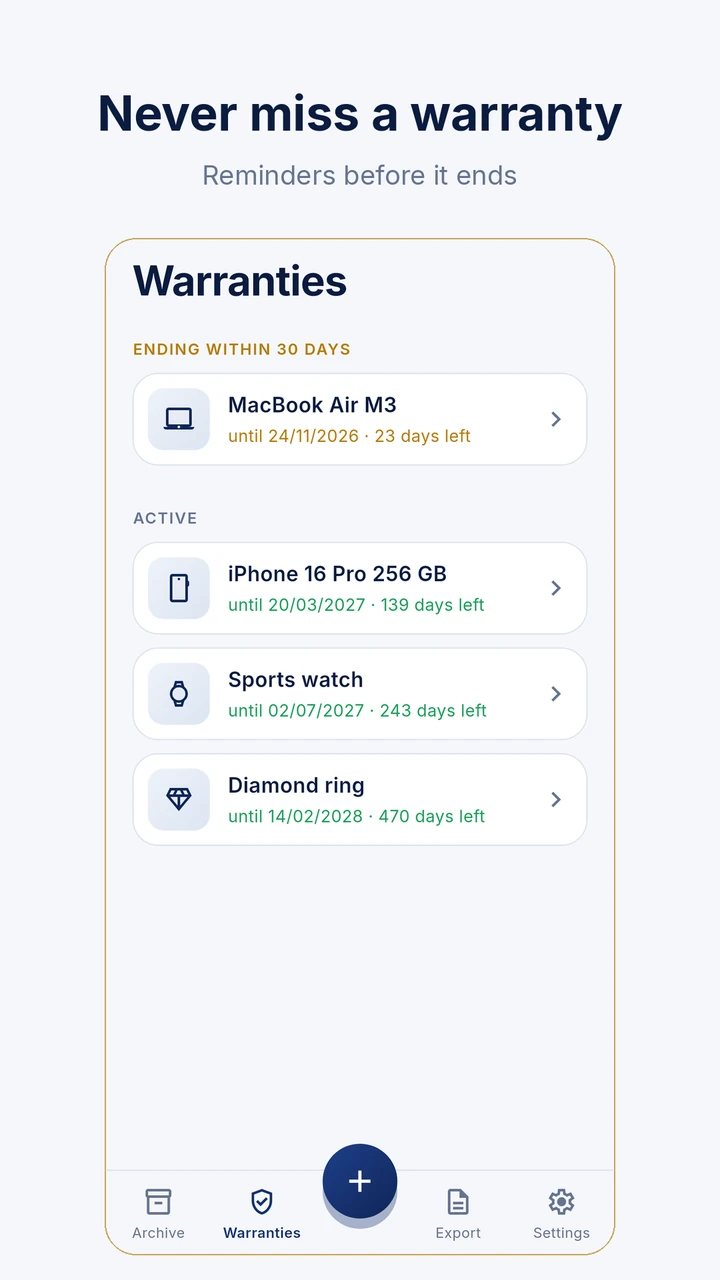
People who buy technology: receipts, warranties, IMEI and serial numbers, reminders before a warranty ends and a PDF for a repair shop.
Second-hand sellers: documents and history for the buyer, with an encrypted handover and separate code.
Car and motorbike owners: VIN, registration, policies, insurance and inspection reminders, with a service history.
Collectors and antique lovers: maker, marks, expert reports and export documents.
People insuring their home: an inventory of valuables with prices and evidence, prepared before an incident.
People moving house or living somewhere risky: the archive in one encrypted file that can be restored on a new phone.
A home archive of ownership proof. Keep photos, receipt, statement, warranty, certificate and an event log for each valuable item, then collect the documents in a PDF when needed.
No. Archy works without an account, email address or phone number.
On your phone, encrypted. We have no archive server. You keep your own backup as a file or, if you enable Premium auto-backup, in your own Google Drive.
We have no access to your archive or backups. Your .archy file opens with your password or recovery key. ML Kit reads receipt amounts and dates on the device; its technical metrics are explained in the privacy policy.
Restore a backup on a new phone using your password or recovery key. Without a backup the archive cannot be recovered. Premium can back up to your Google Drive automatically.
Reset the PIN using the phone’s screen-lock code. If you forget the backup password, you need your saved recovery key.
A separate code that permanently destroys the archive’s encryption key on the device and opens an empty archive. Recovery is possible only from an existing .archy backup.
Yes — amounts and dates from receipt photos, plus IMEI and serial numbers, on the phone. Free includes 3 scans; Premium is unlimited.
Photos and PDFs: receipts, statements, warranties, certificates, service reports, manuals, registration documents, policies, contracts, title extracts, inspections, appraisals, export permits or your own type. The Share menu accepts files up to 50 MB.
An item PDF includes photos, details, a document list and the documents as pages. The Premium insurance pack combines items with their total value. The insurer sets its requirements and decides what to accept.
It contains a SHA-256 fingerprint of the record and documents for comparing data. It is not independent proof of ownership, receipt authenticity or acceptance by an insurer.
Yes. Archy creates an encrypted file with photos, documents and history and a separate 12-character code. Send the file and code through different channels.
We are preparing the public release on Google Play and the App Store. Public downloads are not available yet; links will appear here after launch.
Ukrainian, British English and Latvian.
No. Archy helps you collect and keep documents. The “What to do if…” section provides general guidance.
Archy is getting ready to launch. Your first 10 items will be free. No account needed.
Archy helps you collect and keep documents. The insurer, repair shop or other recipient decides whether to accept a PDF. It is not legal or insurance advice.